# Moonshot

# 什麼是Moonshot

##### <span style="color: rgb(241, 196, 15);"><span lang="EN-US" style="font-size: 11pt; font-family: 'PingFang TC Regular', serif;">Moonshot </span><span style="font-size: 11pt; font-family: 'PingFang TC Regular', serif;">是一個由台灣夢想動畫研發的 </span><span lang="EN-US" style="font-size: 11pt; font-family: 'PingFang TC Regular', serif;">AI </span><span style="font-size: 11pt; font-family: 'PingFang TC Regular', serif;">繪圖工具，它的最大特色是**整合了** </span>**<span lang="DE" style="font-size: 11pt; font-family: 'PingFang TC Regular', serif;">LINE </span>**<span style="font-size: 11pt; font-family: 'PingFang TC Regular', serif;">**機器人**的功能，讓使用者可以透過中文指令快速生成各種風格的圖片。</span></span>

#### 工具介紹

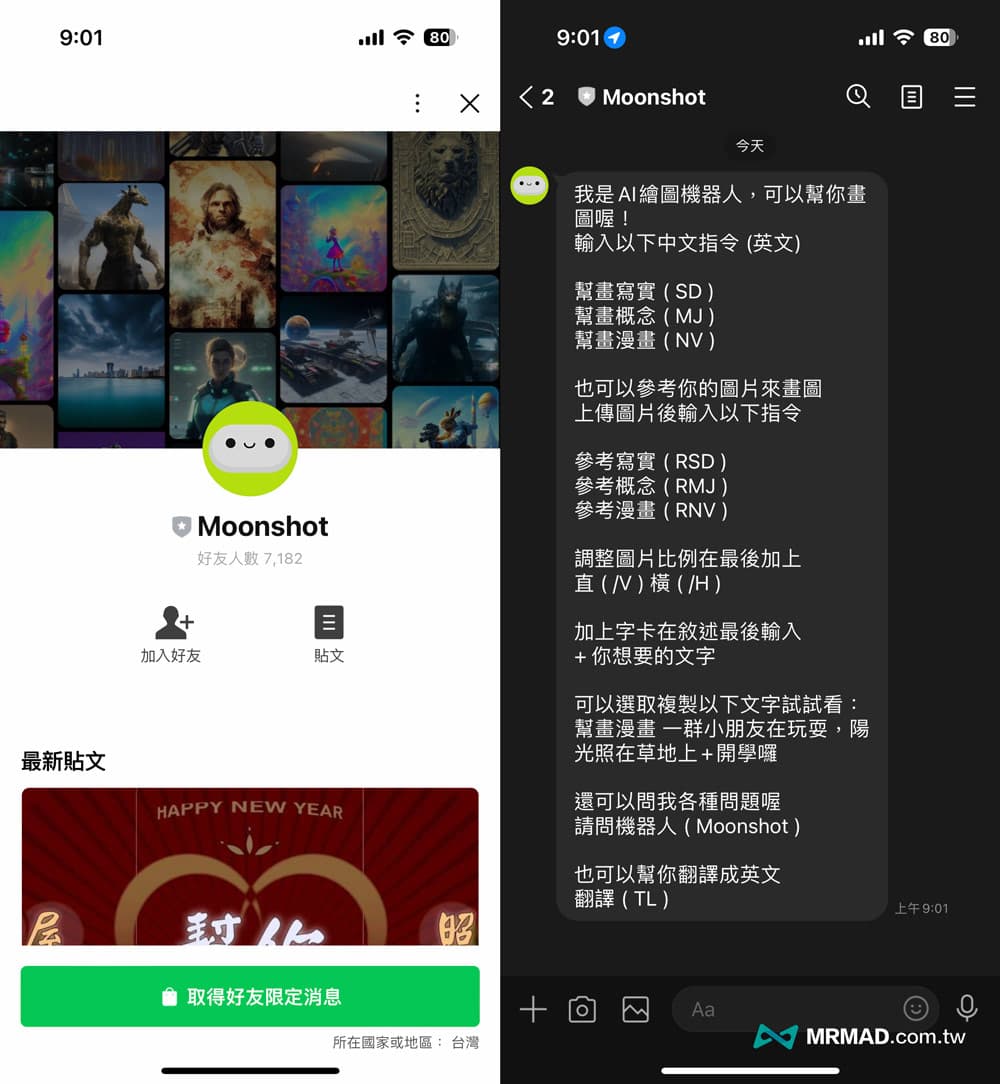
只要**<span style="color: rgb(224, 62, 45);">加入 Moonshot 的 LINE 官方帳號</span>**，就能利用 AI 繪圖機器人生成圖像、產生賀年卡、老屋改造、照片修復、畫圖或翻譯等功能。

[![image.png](https://genai.thu.edu.tw/uploads/images/gallery/2024-08/scaled-1680-/r9Wimage.png)](https://genai.thu.edu.tw/uploads/images/gallery/2024-08/r9Wimage.png)
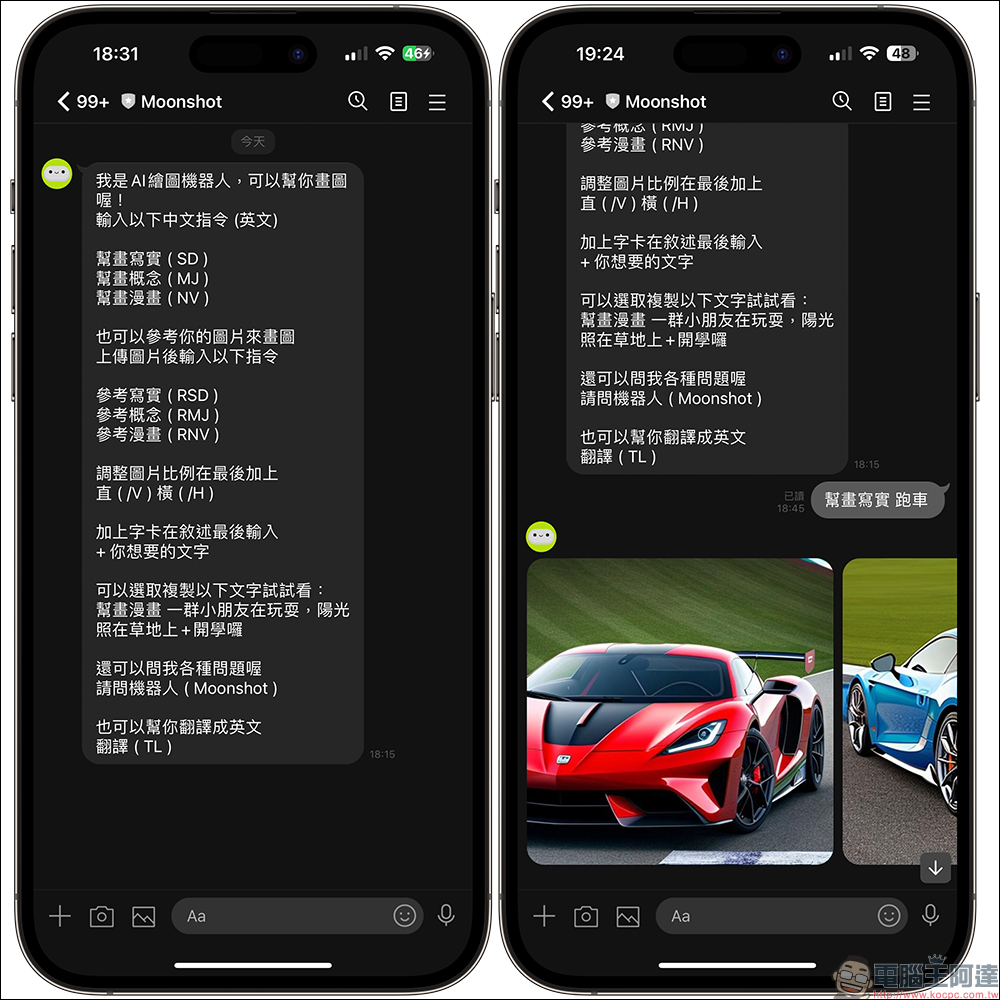
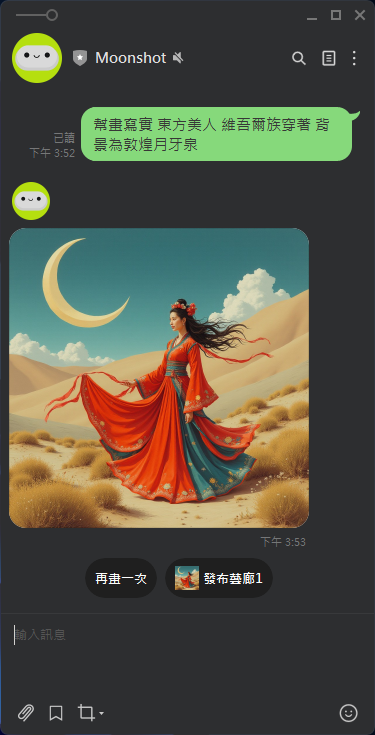
簡單來說 Moonshot 算是全由台灣開發 AI 繪圖工具，相對比起 Midjourney 更好上手，主要是**<span style="color: rgb(132, 63, 161);">能夠支援中文指令</span>**，只要輸入中文指令就能利用**<span style="color: rgb(22, 145, 121);">寫實、概念、漫畫</span>**三種風格畫出你想要的圖片，簡單輕鬆又方便。

#### <span style="mso-fareast-font-family: 'PingFang TC Regular'; mso-ansi-language: ZH-TW;">作品範例</span>

![image.png](https://genai.thu.edu.tw/uploads/images/gallery/2024-12/scaled-1680-/f0Bimage.png)

#### Moonshot的優點

1. <span style="font-size: 11pt; font-family: 'PingFang TC Regular', serif; color: rgb(206, 212, 217);">免付費！於Line環境下可以用提示詞生成圖像</span>
2. <span style="font-size: 11pt; font-family: 'PingFang TC Regular', serif; color: rgb(206, 212, 217);">支援了參考圖片畫圖技巧，這意味著你可以將現實中的照片轉換成手繪或概念風格的圖片</span>
3. <span style="font-size: 11pt; font-family: 'PingFang TC Regular', serif; color: rgb(206, 212, 217);">提供老屋翻新室內設計功能，讓你能夠將照片上傳後選擇想要的室內設計風格</span>
4. <span style="font-size: 11pt; font-family: 'PingFang TC Regular', serif; color: rgb(206, 212, 217);">快速製作電子賀卡，並透過Line傳送</span>

# Moonshot的應用

#### 產生不同風格的圖片：老圖修復或改以不同設計風格呈現

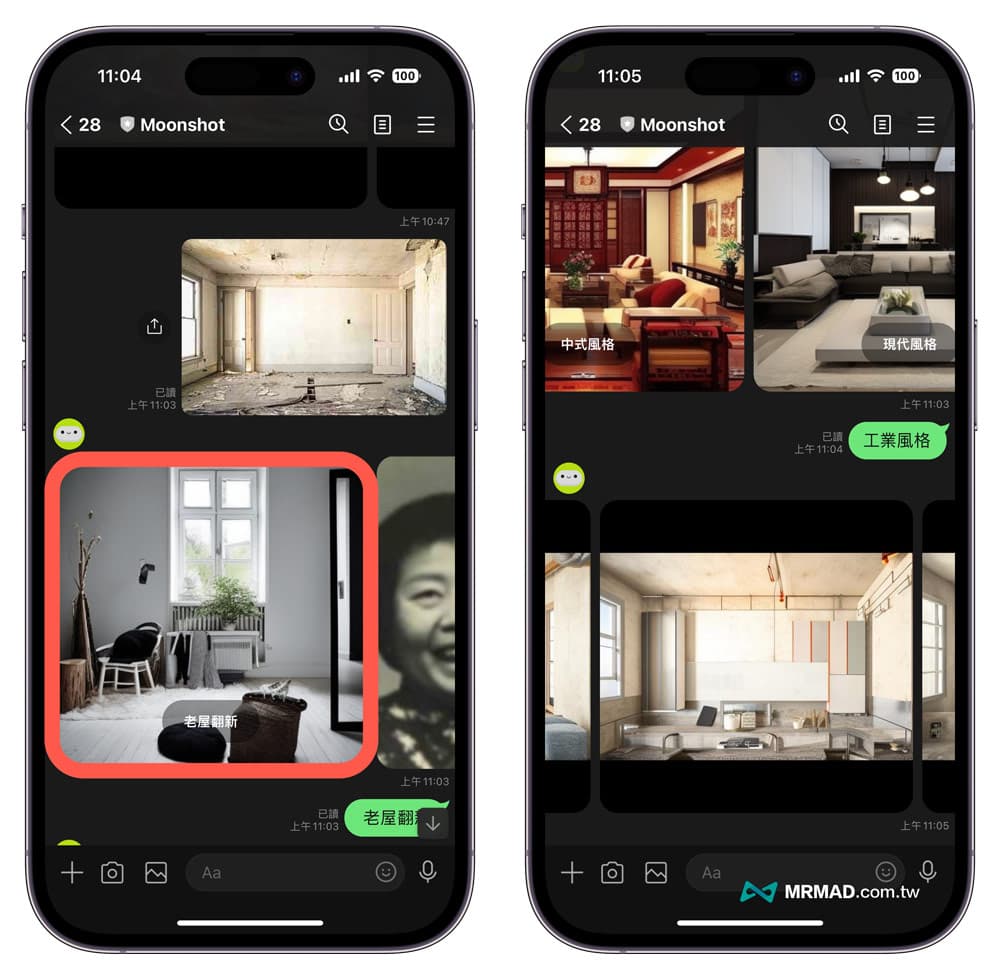
要是打算改造屋內設計，不知道哪種風格最適合我們，可以借助 Moonshot 內建老屋翻功能來實現，只要將照片上傳到 LINE 聊天室內，點選「老屋翻新」，就可以選擇想要的室內設計風格，目前有五種風格能選擇：

- 北歐風格
- 工業風格
- 中式風格
- 現代風格
- 沒錢破舊風格

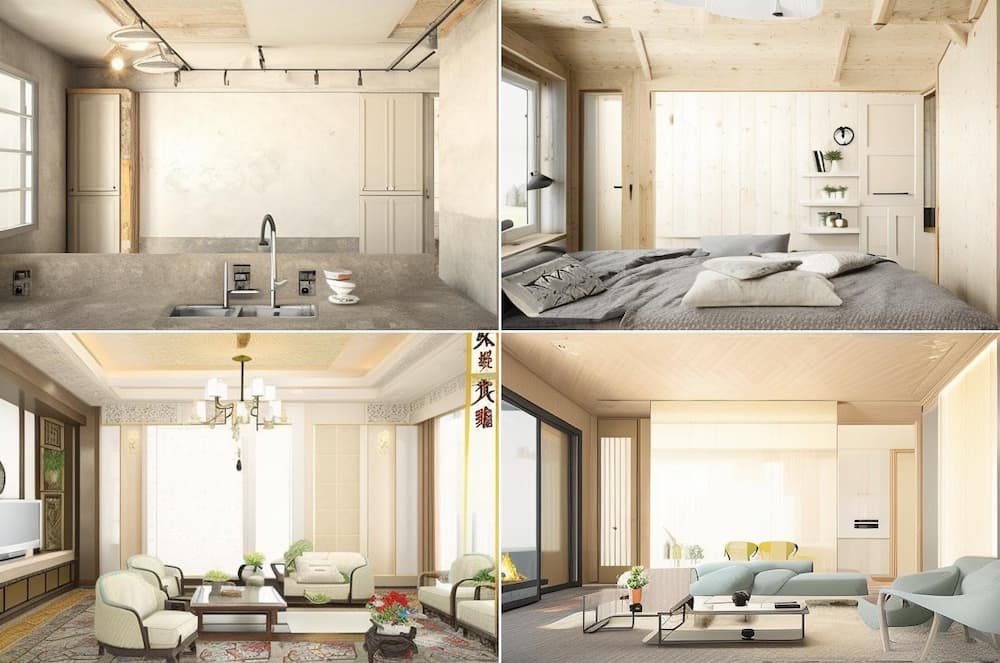
<figure class="wp-block-image aligncenter size-full is-resized" id="bkmrk-">![Moonshot 老屋翻新室內設計](https://mrmad.com.tw/wp-content/uploads/2023/03/line-moonshot-9.jpg)</figure>以下是最後產生出來的四種風格設計，而且會根據室內風格自動加入不同裝潢，整體看起來就會更不一樣。

<figure class="wp-block-image aligncenter size-full" id="bkmrk-%EF%BC%88%E5%B7%A6%E4%B8%8A%E5%B7%A5%E6%A5%AD%E9%A2%A8%E6%A0%BC%E3%80%81%E5%8F%B3%E4%B8%8A%E5%8C%97%E6%AD%90%E9%A2%A8%E6%A0%BC%E3%80%81%E5%B7%A6%E4%B8%8B%E4%B8%AD%E5%BC%8F%E9%A2%A8">![Moonshot 老屋翻新室內設計1](https://mrmad.com.tw/wp-content/uploads/2023/03/line-moonshot-10.jpg)<figcaption class="wp-element-caption">（左上工業風格、右上北歐風格、左下中式風格、右下現代風格）</figcaption></figure>

# 如何使用Moonshot

#### 加 Moonshot 為Line的好友

想使用 Moonshot LINE 機器人，就需要搭配 LINE 才能夠使用，可以透過底下教學步驟參與 Moonshot AI 繪圖公測：

1. 開啟 [Moonshot LINE官方帳號](https://liff.line.me/1645278921-kWRPP32q/?accountId=251vgtut)
2. 點選「加入好友」並選擇「聊天」
3. 開始使用 Moonshot 繪圖機器人功能
<figure class="wp-block-image aligncenter size-full is-resized" id="bkmrk-">![加入 Moonshot 的 LINE 官方帳號](https://mrmad.com.tw/wp-content/uploads/2023/03/line-moonshot-1.jpg)</figure>#### 使用LINE Moonshot 機器人

##### Step 1. 選擇要產生的圖片風格

Moonshot Line 繪圖機器人能夠依照中文指令產出「**寫實、概念、漫畫**」三種不同風格，而且還能夠自訂圖片比例，只要利用底下中文或英文風格指令，告訴機器人要畫出什麼。

- 幫畫寫實 (SD)
- 幫畫概念 (MJ)
- 幫畫漫畫 (NV)

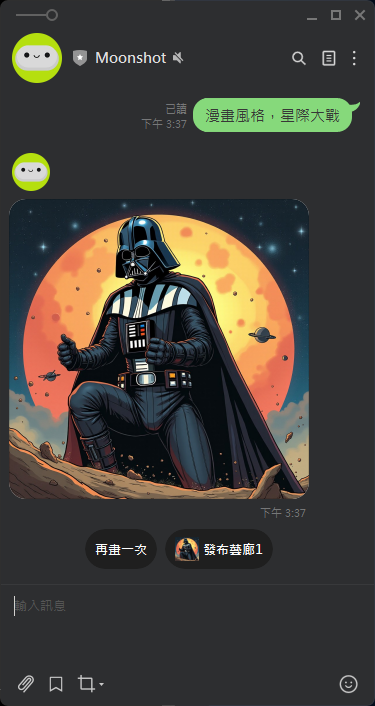
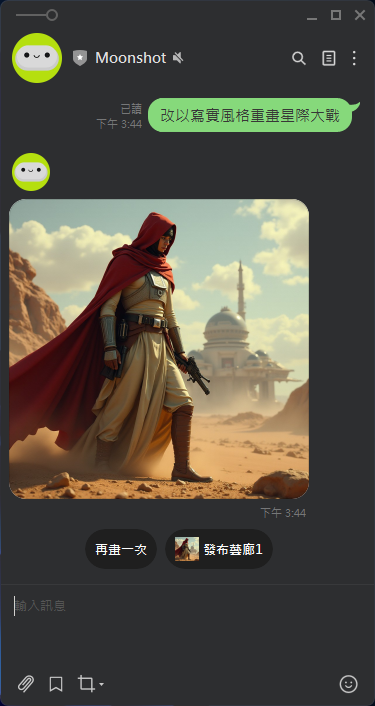
像是只要在 LINE 聊天室內輸入「`幫畫xx（空格）描述`」，就能夠透過 Moonshot AI 產生出你想要的圖片，而且會提供四張不同畫面的圖片讓你下載。

例如: 「漫畫風格，星際大戰」

[![image.png](https://genai.thu.edu.tw/uploads/images/gallery/2024-09/scaled-1680-/jjiimage.png)](https://genai.thu.edu.tw/uploads/images/gallery/2024-09/jjiimage.png)

[![image.png](https://genai.thu.edu.tw/uploads/images/gallery/2024-09/scaled-1680-/wE9image.png)](https://genai.thu.edu.tw/uploads/images/gallery/2024-09/wE9image.png)
[![image.png](https://genai.thu.edu.tw/uploads/images/gallery/2024-09/scaled-1680-/Zj6image.png)](https://genai.thu.edu.tw/uploads/images/gallery/2024-09/Zj6image.png)
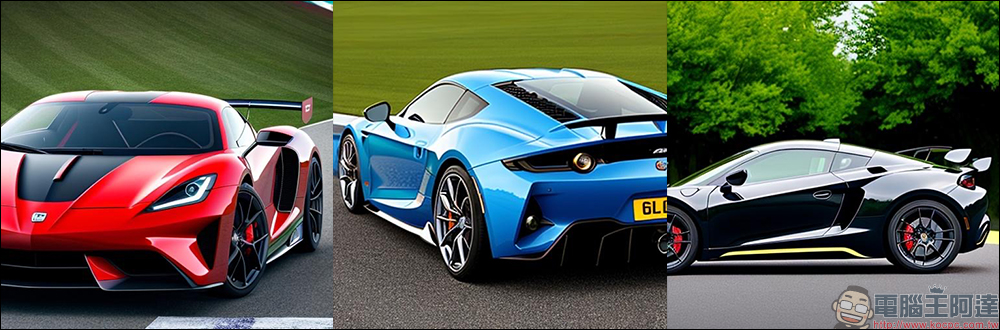
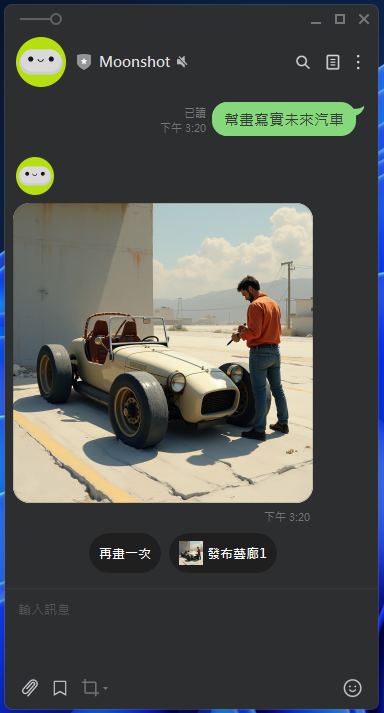
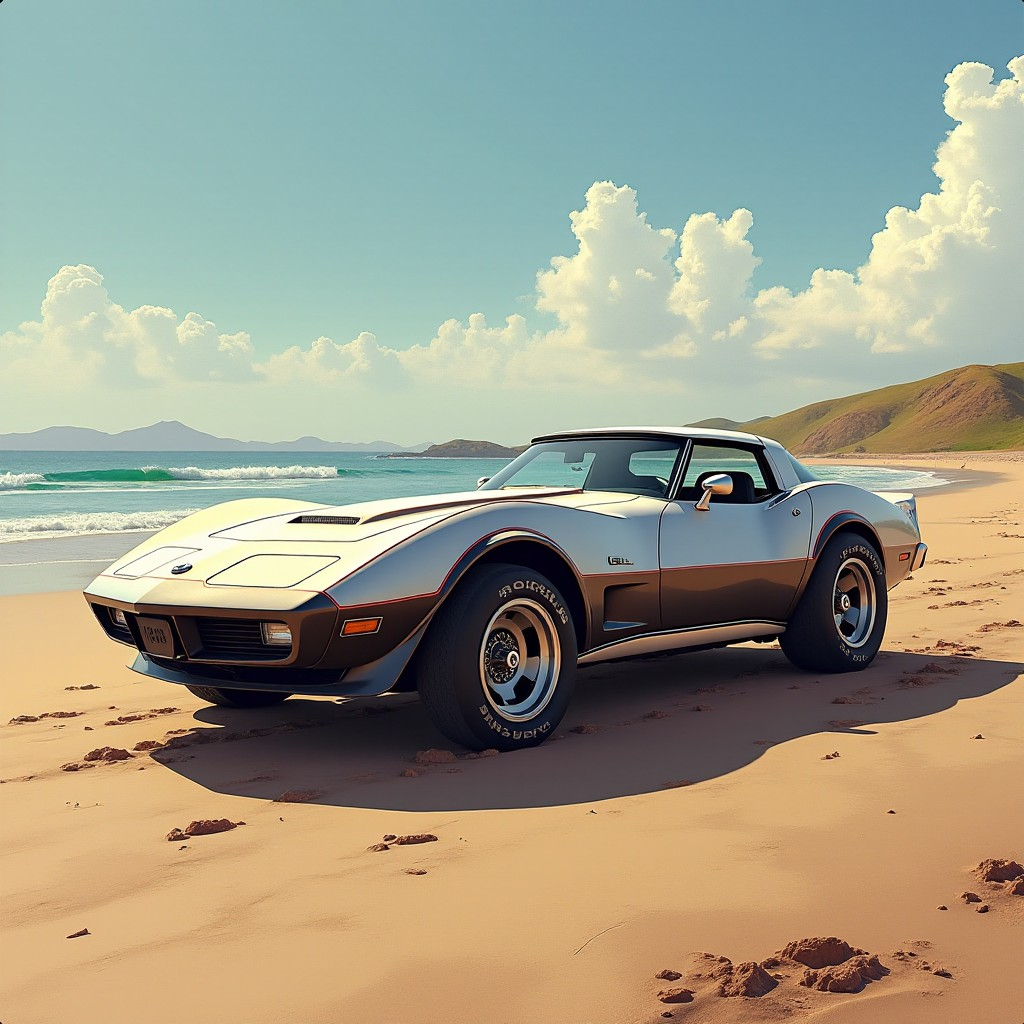
又例如想要找一些未來汽車圖片，可以在 LINE Moonshot 聊天室內輸入「`<strong>幫畫寫實 未來汽車</strong>`」，過幾秒後就會看見由 AI 產生的圖片。

[![image.png](https://genai.thu.edu.tw/uploads/images/gallery/2024-09/scaled-1680-/image.png)](https://genai.thu.edu.tw/uploads/images/gallery/2024-09/image.png)

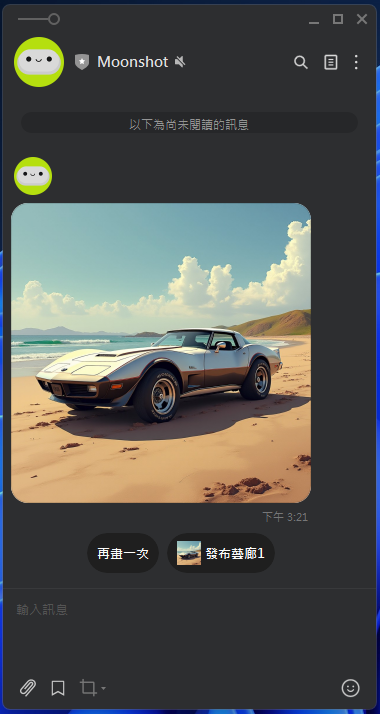
 可以選擇再畫一次，出現

[![image.png](https://genai.thu.edu.tw/uploads/images/gallery/2024-09/scaled-1680-/cKqimage.png)](https://genai.thu.edu.tw/uploads/images/gallery/2024-09/cKqimage.png)

改以瀏覽器觀看可得到下圖

[![image.png](https://genai.thu.edu.tw/uploads/images/gallery/2024-09/scaled-1680-/G13image.png)](https://genai.thu.edu.tw/uploads/images/gallery/2024-09/G13image.png)
##### Step 2. 以既有圖片產生新風格圖片

Moonshot 還可以參考照片產生出類似的三種不同畫風圖片，同樣可以利用寫實、概念、漫畫三種指令來達成，像是你想要將實景照片改為手繪或概念圖片，就可以利用這方法來實現，需要先將圖片上傳到 LINE Moonshot 聊天視窗內，並且搭配底下三種 Moonshot 指令：

- 參考寫實 (RSD)
- 參考概念 (RMJ)
- 參考漫畫 (RNV)
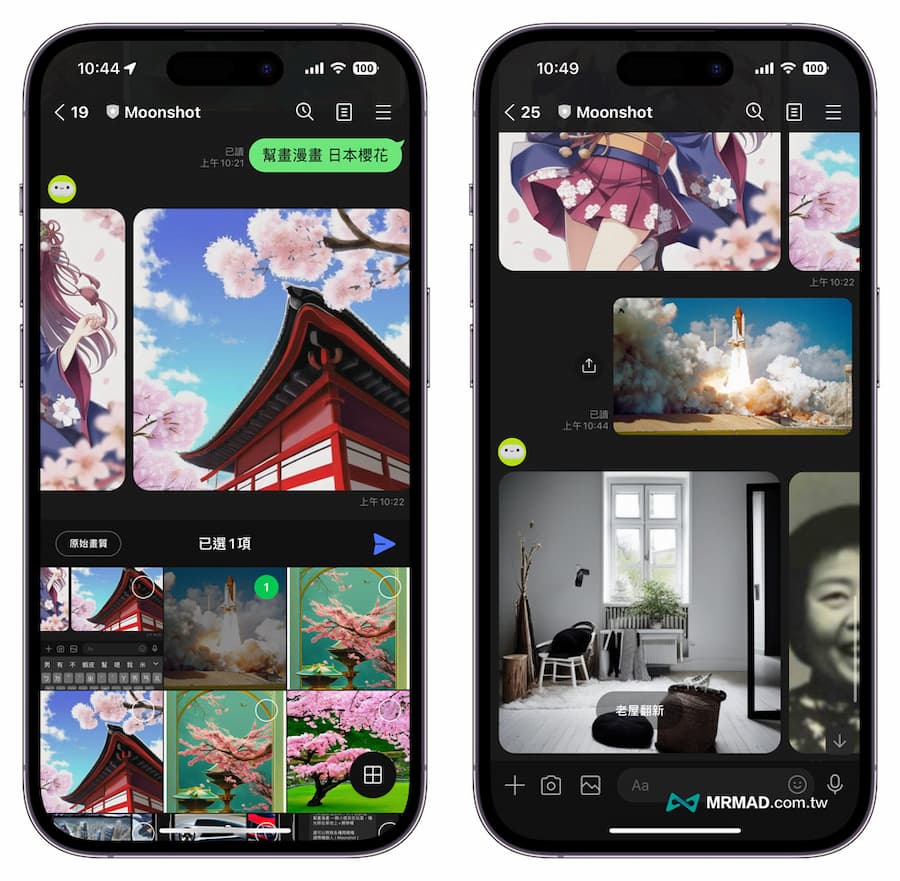
<figure class="wp-block-image aligncenter size-full is-resized" id="bkmrk--8">![Moonshot 參考圖片畫圖技巧](https://mrmad.com.tw/wp-content/uploads/2023/03/line-moonshot-6.jpg)</figure>圖片上傳後，就可以輸入想要的風格指令搭配文字描述

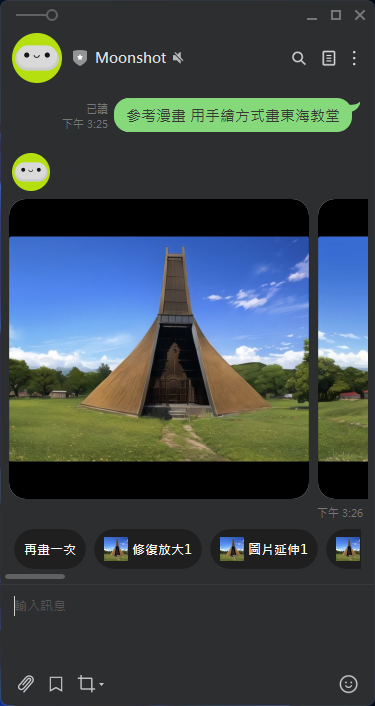
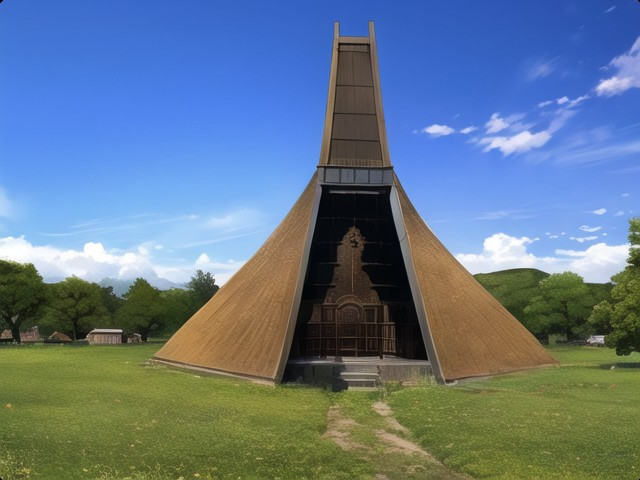
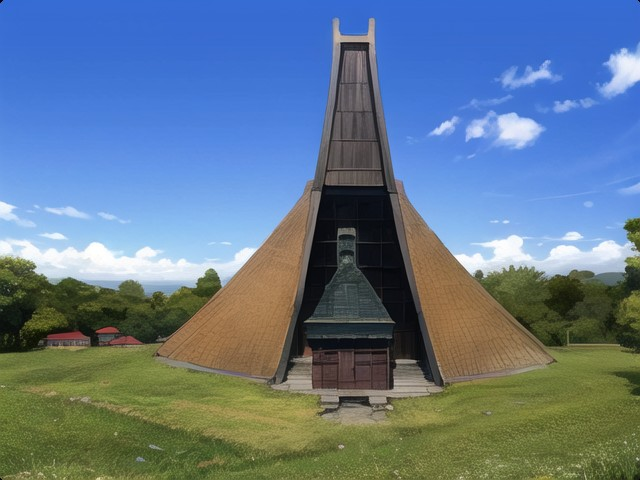
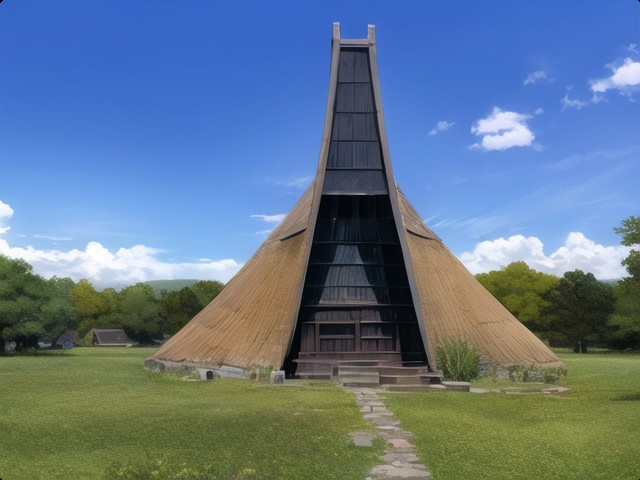
提示語：參考漫畫 用手繪方式畫東海教堂

[![image.png](https://genai.thu.edu.tw/uploads/images/gallery/2024-09/scaled-1680-/iCaimage.png)](https://genai.thu.edu.tw/uploads/images/gallery/2024-09/iCaimage.png)

產生的圖如下（三張）

![image.png](https://genai.thu.edu.tw/uploads/images/gallery/2024-09/scaled-1680-/7Primage.png)

[![image.png](https://genai.thu.edu.tw/uploads/images/gallery/2024-09/scaled-1680-/yFdimage.png)](https://genai.thu.edu.tw/uploads/images/gallery/2024-09/yFdimage.png)
![image.png](https://genai.thu.edu.tw/uploads/images/gallery/2024-09/scaled-1680-/sw1image.png)