# MagicSlides之使用方式

#### 建立帳號或用Google帳號登入

[![image.png](https://genai.thu.edu.tw/uploads/images/gallery/2024-08/scaled-1680-/Cbdimage.png)](https://genai.thu.edu.tw/uploads/images/gallery/2024-08/Cbdimage.png)

<div aria-hidden="true" class="wp-block-spacer" id="bkmrk--1"></div>#### 以Google帳號登入後

[![image.png](https://genai.thu.edu.tw/uploads/images/gallery/2024-08/scaled-1680-/9Tyimage.png)](https://genai.thu.edu.tw/uploads/images/gallery/2024-08/9Tyimage.png)

#### 輸入需求

[![image.png](https://genai.thu.edu.tw/uploads/images/gallery/2024-08/scaled-1680-/sRzimage.png)](https://genai.thu.edu.tw/uploads/images/gallery/2024-08/sRzimage.png)

#### 按下**＂Generate＂**產生簡報

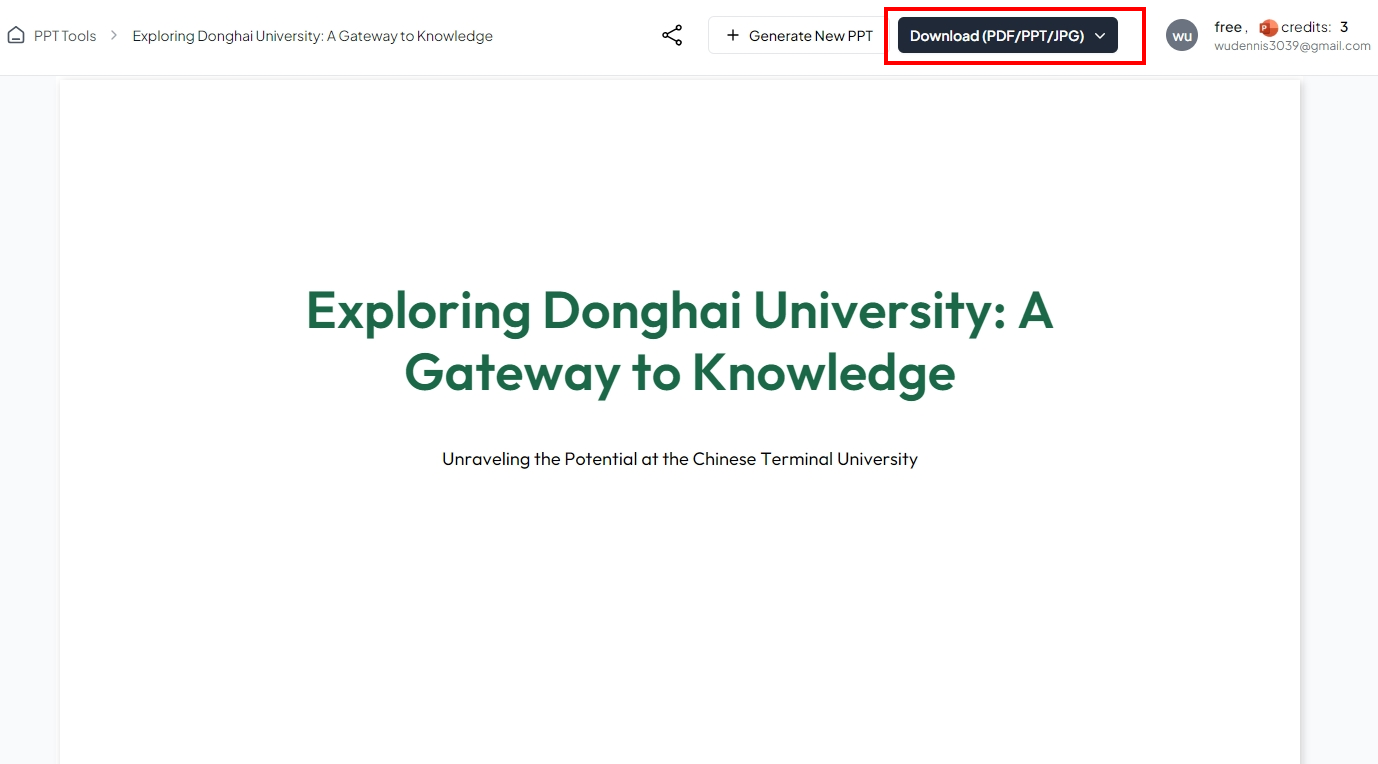
<div class="wp-block-image img" id="bkmrk--4"></div>大約**三分鐘**簡報就會生成出來~生成的簡報檔案可以下載使用

[![image.png](https://genai.thu.edu.tw/uploads/images/gallery/2024-08/scaled-1680-/74bimage.png)](https://genai.thu.edu.tw/uploads/images/gallery/2024-08/74bimage.png)