# Litmaps之使用方法

#### Step 1. 註冊並登錄 Litmaps 平台

[![image.png](https://genai.thu.edu.tw/uploads/images/gallery/2024-08/scaled-1680-/b4dimage.png)](https://genai.thu.edu.tw/uploads/images/gallery/2024-08/b4dimage.png)
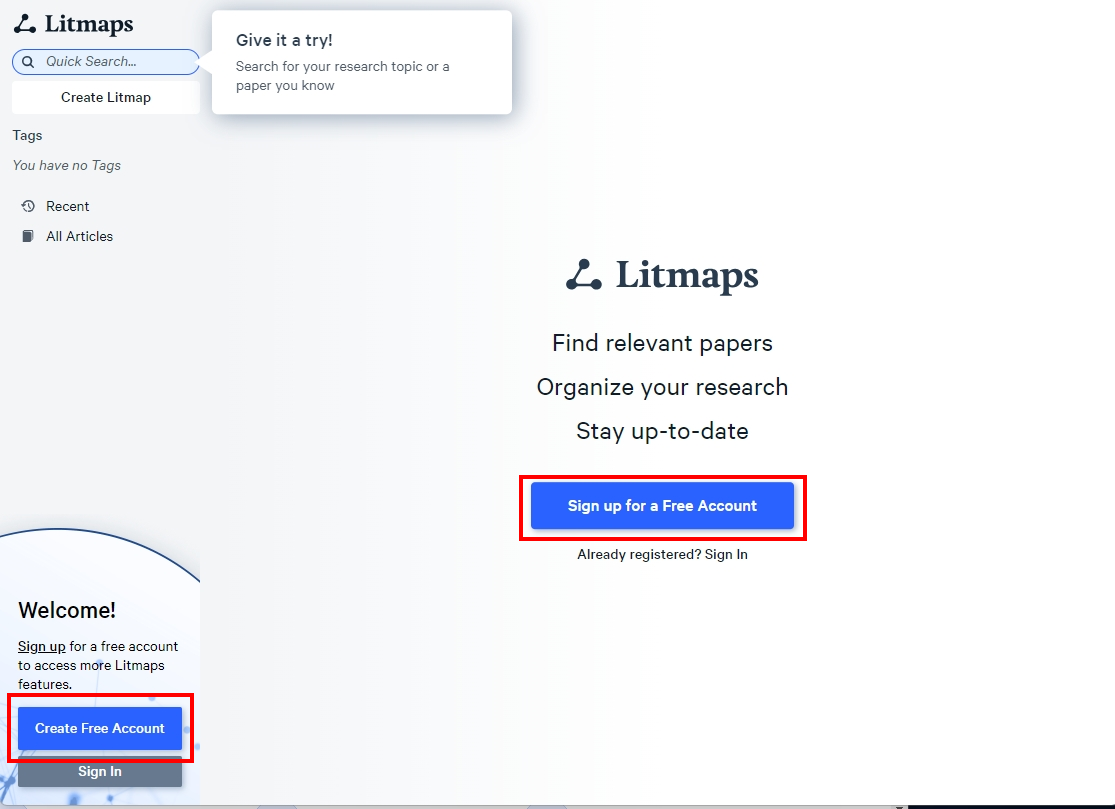
[![image.png](https://genai.thu.edu.tw/uploads/images/gallery/2024-08/scaled-1680-/YqJimage.png)](https://genai.thu.edu.tw/uploads/images/gallery/2024-08/YqJimage.png)

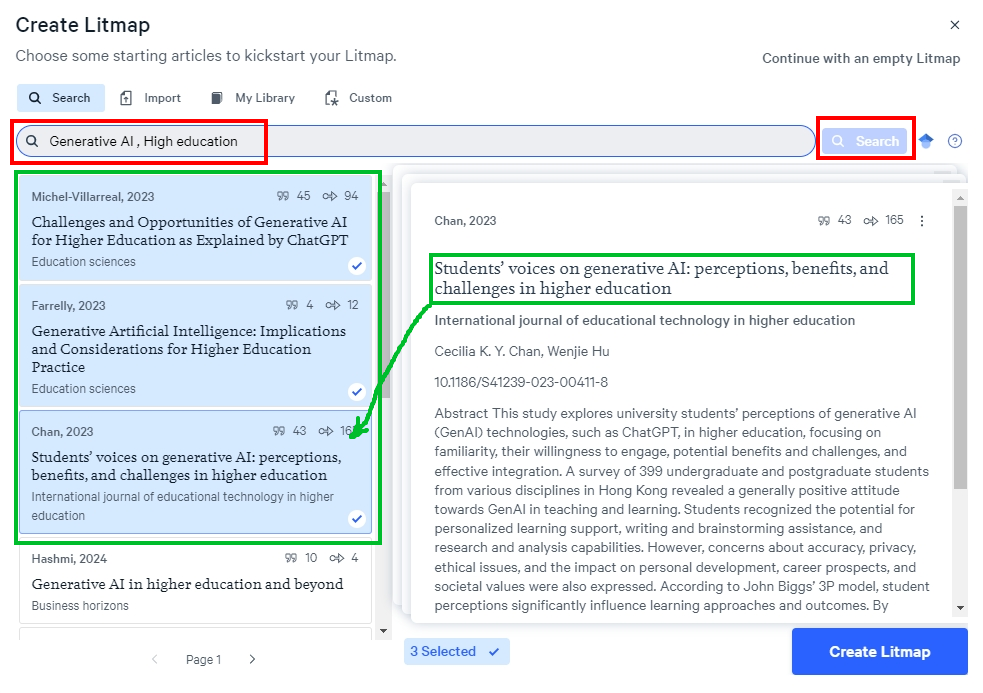
#### Step 2. 輸入種子論文的相關信息,或直接從文獻管理軟件匯入參考文獻<button class="" data-state="closed"></button>

[![image.png](https://genai.thu.edu.tw/uploads/images/gallery/2024-08/scaled-1680-/88Zimage.png)](https://genai.thu.edu.tw/uploads/images/gallery/2024-08/88Zimage.png)

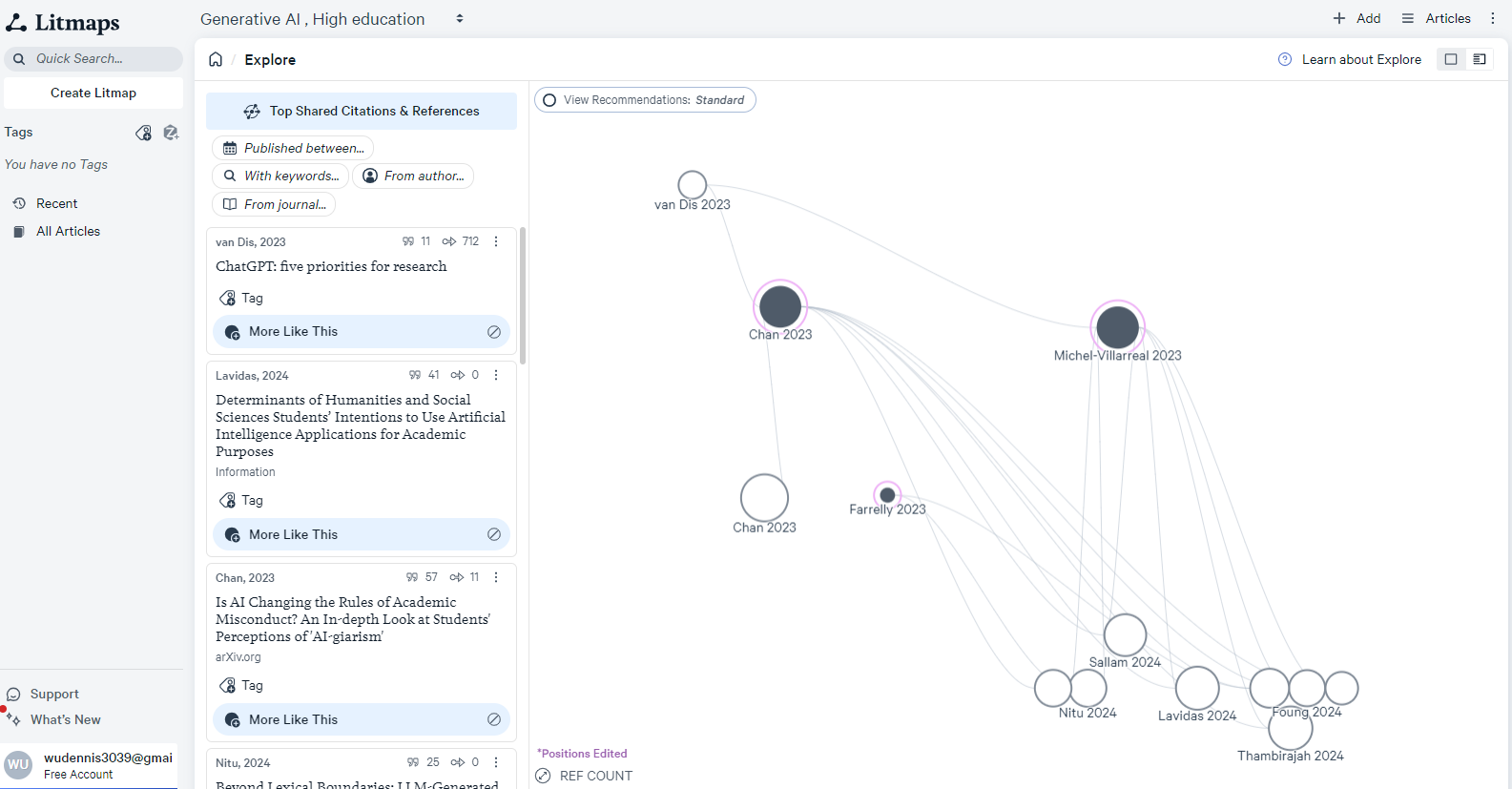
#### Step 3. 根據需要配置搜索範圍和篩選條件,生成論文地圖<button class="" data-state="closed"></button>

[![image.png](https://genai.thu.edu.tw/uploads/images/gallery/2024-08/scaled-1680-/0gRimage.png)](https://genai.thu.edu.tw/uploads/images/gallery/2024-08/0gRimage.png)

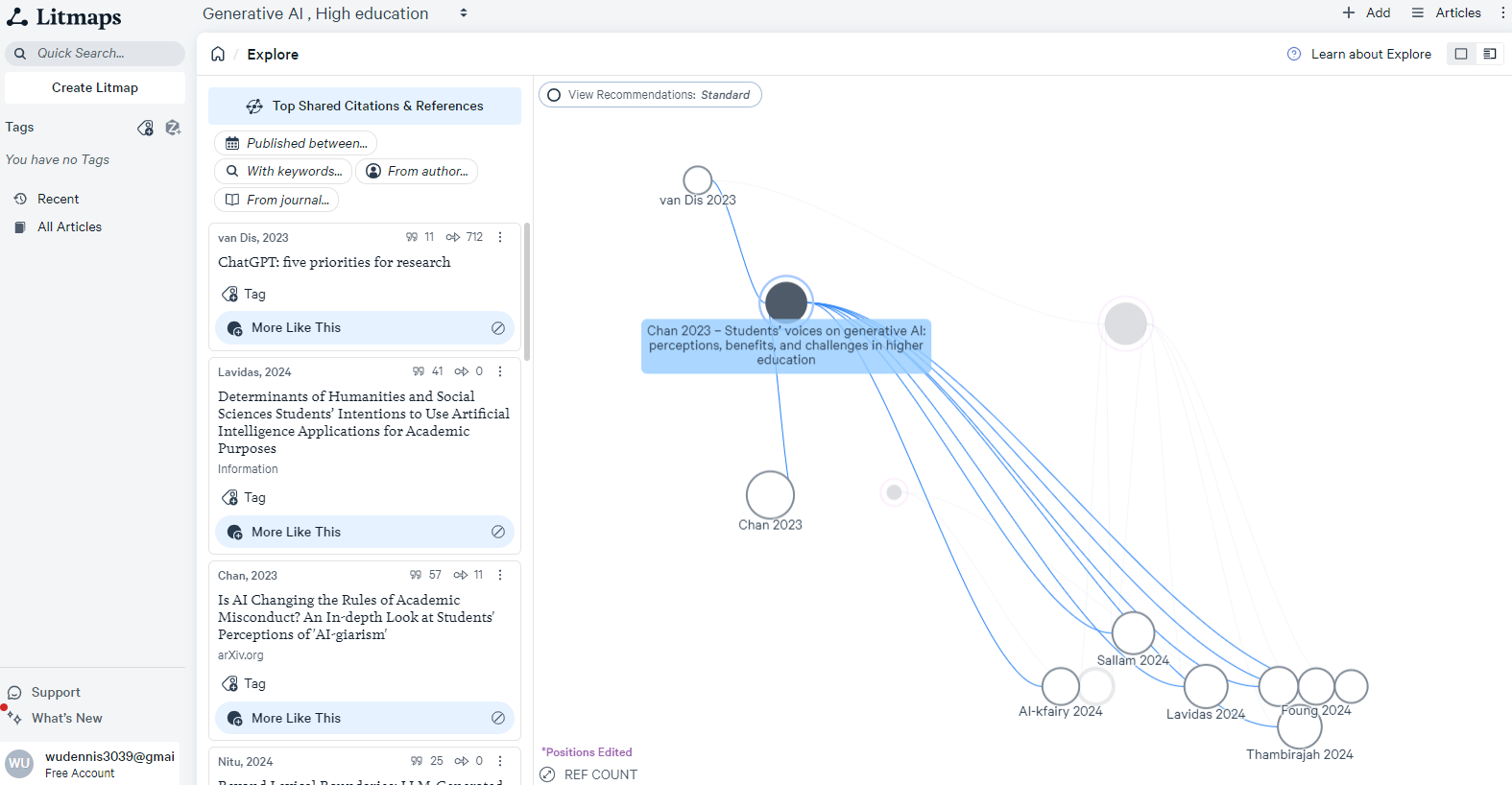
#### Step 4. 分析地圖上的引文關係,發現新的相關研究<button class="" data-state="closed"></button>

[![image.png](https://genai.thu.edu.tw/uploads/images/gallery/2024-08/scaled-1680-/EM1image.png)](https://genai.thu.edu.tw/uploads/images/gallery/2024-08/EM1image.png)